
PalmPay is one of the best fintech apps in Nigeria, allowing you to send and receive money, pay bills, and even apply for loans faster. But did you know that PalmPay also offers an ATM card that you can use for withdrawals, POS payments, and online transactions in Nigeria?

If you want to get a PalmPay ATM card for easy cash withdrawals and shopping online in Nigeria. Dont worry anymore.
Because I will show you all the steps to apply, activate, and get your personal palmpay ATM card to start using your PalmPay card without stress on ATM and Pos in Nigeria.
What is PalmPay ATM Card?
PalmPay ATM card is a debit card issued by PalmPay, allowing you to:
- Withdraw money from any ATM in Nigeria
- Make payments on POS machines at stores and supermarkets
- Shop online on websites and apps
- Link your card to subscriptions and payments like Netflix, Spotify, etc.
It works like a regular bank card and is accepted nationwide.
Benefits & features available on Palmpay ATM Card
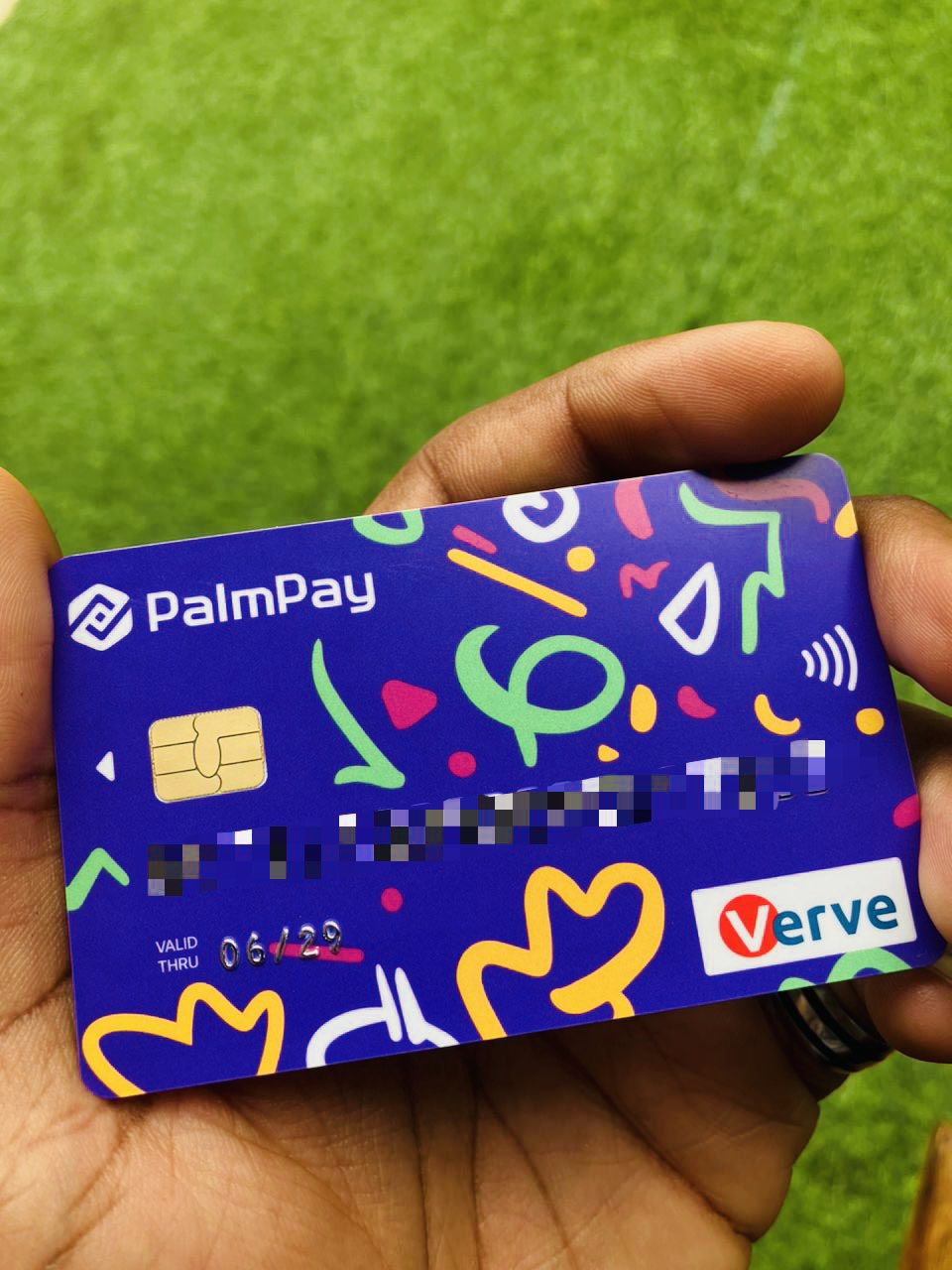
Palmpay ATM card has some incredible features and benefits which are:
- It is widely accepted in over 40,000 places including brand like Konga, Jumia and others
- There is smooth refund on any transaction made if failed
- Disputes are resolved instantly at PalmPay POS and quickly at other places.
- Have up to 15 free withdrawal every month
- There are zero maintenance charges on the atm card
How to Request & Get a PalmPay ATM Card in Nigeria (2025)
Applying for a PalmPay ATM card is easy and can be done directly from the app. Follow these steps to get your Palmpay ATM card.

Step 1: Download PalmPay App
If you don’t have the PalmPay app yet, download it from Google Play Store or Apple App Store and install it on your phone.
Step 2: Register and Create an Account
- Open the PalmPay app and sign up using your phone number.
- Enter your name, email, and other required details.
- Verify your account using an OTP sent to your phone.
Step 3: Log in to Your PalmPay Account
Once your account is created, log in using your registered phone number and password.
Step 4: Go to the Card Section
- On the PalmPay app homepage, click on your profile icon.
- Select “My Card” or “ATM Card” option.
- Click “Request ATM Card” to begin your application.
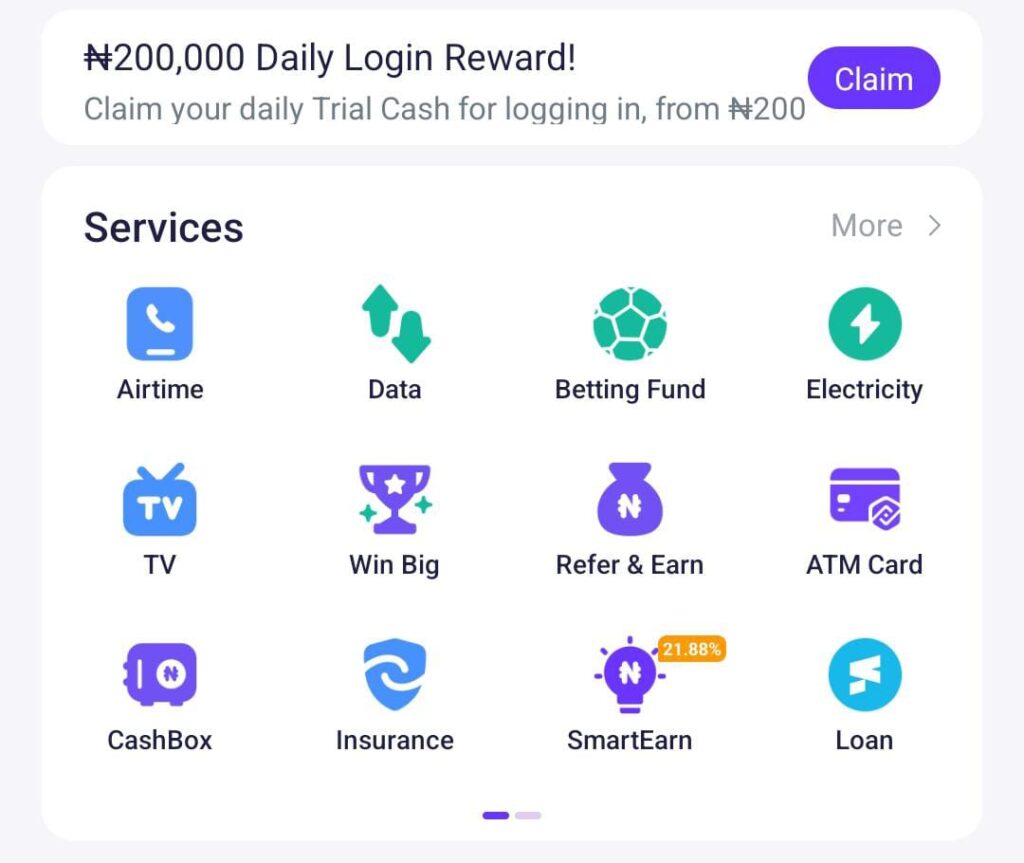
Step 5: Fill in Your Details
You will be asked to provide:
- Full Name (as on your ID)
- Date of Birth
- Delivery Address (where your card will be sent)
- ID Verification (BVN or NIN may be required)
Make sure all details are correct to avoid any issues.
Step 6: Pay the Card Issuance Fee
PalmPay charges a small fee for the card (usually between ₦1,000 – ₦1,500). You can pay using your PalmPay wallet or linked bank account.
Step 7: Submit Your Application
After payment, review your details and submit your request.
Step 8: Wait for Delivery
Once approved, your card will be processed and delivered to your provided address within 5 to 7 working days. And process your request. If approved, they will produce and send your ATM card to the address you entered when you request for the card.
How to Activate Your Palmpay ATM card after you got it
- After receiving your ATM card, open Palmpay app and tap on the ATM card option. After tapping it, tap activate card
- Then you will be asked to enter the last four digits of the card number. After entering the card number, tap on confirm.
- Next, you will have to set up your pin by entering any four digit. This process is done twice to confirm your pin number. After this process, tap next and your ATM card is successfully activated.
- You can proceed to any ATM spot or POS stand to make use of your ATM card immediately for withdrawals and transfers.

How to Use your PalmPay ATM Card for POS, ATM, and Online Transactions payment
1. Withdraw Money from Any ATM
Simply insert your PalmPay card at any ATM, enter your PIN, and withdraw cash like a regular bank card.
2. Pay on POS Machines
Use your PalmPay ATM card for POS payments at stores, supermarkets, and malls by inserting or tapping the card on the POS machine and entering your PIN.
3. Shop Online
Use your PalmPay ATM card for online purchases on platforms like Jumia, Konga, Netflix, and Apple Store. Just enter your card details during checkout.
4. Transfer Money Easily
You can also link your PalmPay card to online wallets and services for seamless transfers.
PalmPay ATM Card Charges and Fees
Here are some common charges when using the PalmPay ATM card:
- Card Issuance Fee – ₦1,000 to ₦1,500 (one-time fee)
- ATM Withdrawal Fee – Same as normal bank charges
- POS Payment – Free
- Online Payments – Free
PalmPay offers low charges, making it one of the best fintech cards in Nigeria.
Read Also: Opay, Palmpay, MoniePoint App, Which one is the best to use in Nigeria
Frequently Asked Questions
How long does it take to get the PalmPay ATM card?
It takes 5 to 7 working days for PalmPay to deliver your card.
Where can I use my PalmPay ATM card?
You can use your PalmPay ATM card:
At any ATM that supports Mastercard or Visa.
At POS terminals for shopping.
For online transactions on websites and apps.
What should I do if I lose my PalmPay ATM card?
If your card is lost or stolen, open the PalmPay app, go to “Cards”, and click “Block Card” to prevent unauthorized use.
Can I use the PalmPay ATM card for international transactions?
Yes, you can use palmpay atm card to pay for some goods or items on international website but not every websites or app that works.
How do I check my PalmPay ATM card balance?
You can check your balance anytime in the PalmPay app under the “Cards” section.
How do I fund and topup my PalmPay ATM card?
Your PalmPay ATM card is linked to your PalmPay wallet, so just add money to your wallet, and your balance will reflect on your card.
How will I know my Atm card number?
Your card number is printed on the front or back of your card. It is a series of numbers that are unique to your account and used for transactions.
Can I use the PalmPay ATM card for online payments?
Yes, you can use the card for online transactions. Simply enter your card details during checkout on supported websites or apps.
Can I use my PalmPay ATM card at any bank ATM?
Yes, the PalmPay card works on all ATMs & POS in Nigeria for withdrawals.
Conclusion
Getting a PalmPay ATM card is a smart move if you want a secure, fast, and easy way to make transactions without carrying cash. You can withdraw money, shop online, pay on POS, and do much more.
If you’re looking for a simple, stress-free way to manage your money, apply for your PalmPay ATM card today!
Don’t forget to share this post and follow us for more fintech updates.