

Data is life, isn’t it? Surely it is, because without data you wouldn’t be reading this.
And that’s not all, it also helps us stay connected with our friends, family, and the rest of the world.
So, with that said, why shouldn’t we learn how to transfer data and airtime to our loved ones whenever we want to.
Well, if you’re an MTN user, here’s how you can transfer data and airtime from one MTN line to another using the My MTN app.
Here are the steps to follow in order to transfer data from one sim to another using the My MTN app:
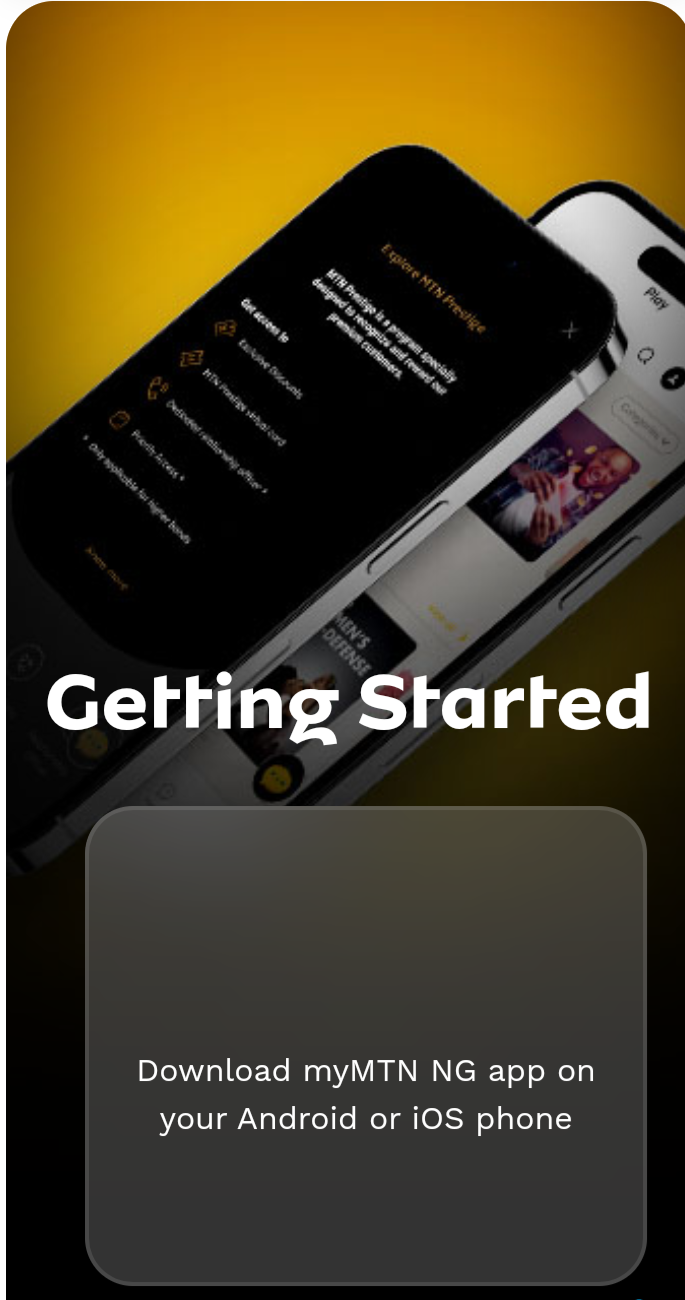
- The first step is to download the app from your app store, if you don’t already have it.
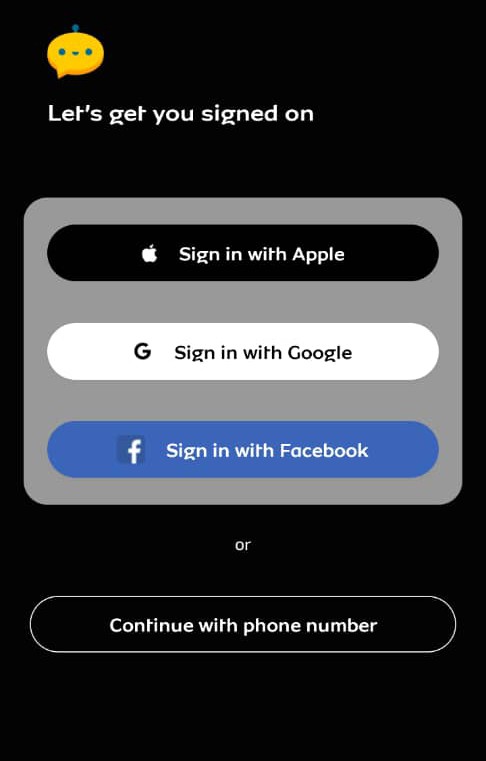
- Log or sign in to the My MTN app on your phone using your registered MTN number to signup or sign in
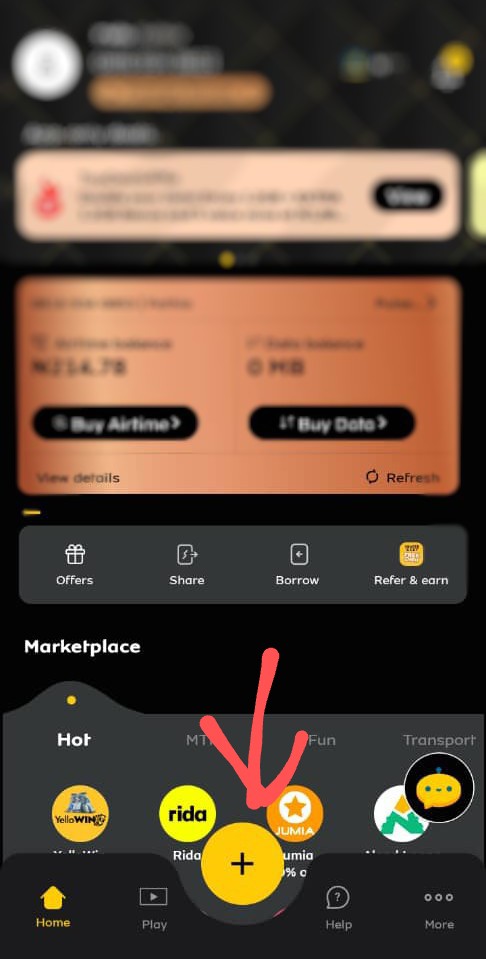
- Tap on the ‘+’ icon, and you’ll find more options.
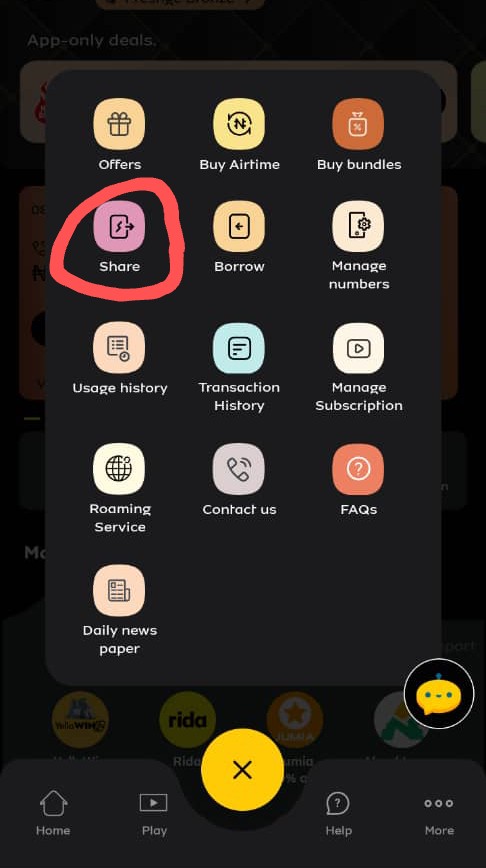
- Tap on ‘share’ from the icons that will be displayed.
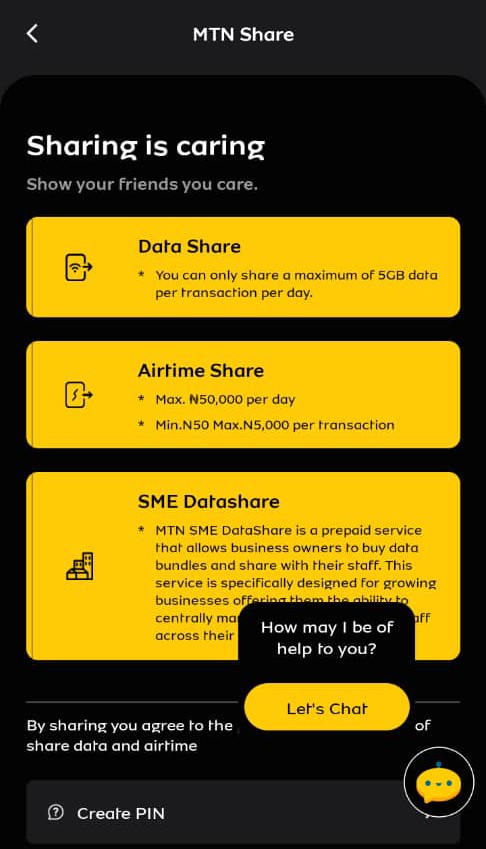
- Then you’ll see an option to ‘share data or your airtime’ to another user or SIM.
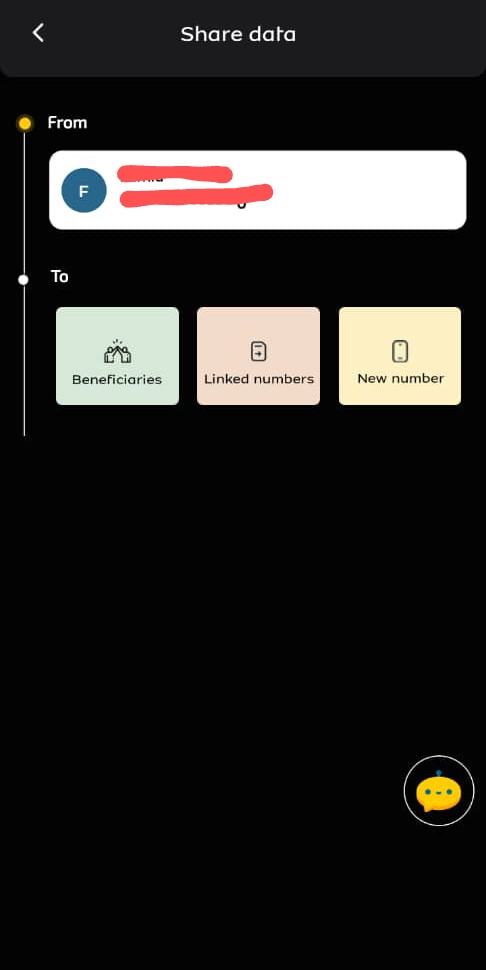
- Tap on the option to share your data.
- Next, you’ll enter the receiver’s MTN number and the amount of data you want to share.
- Lastly, you’ll proceed to share data, then you should receive a SMS to confirm the data transfer
Now let’s quickly get to how you can use the My MTN app to transfer airtime
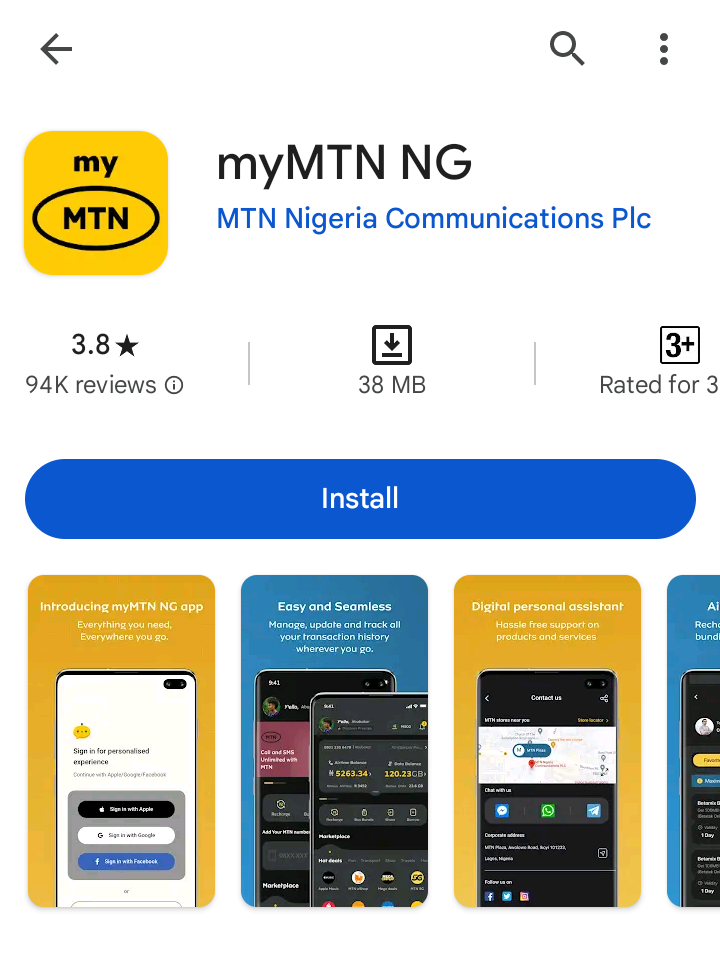
- Here, the first step is also to download the My MTN app from your app store, if you don’t have it already.
- Then next you also have to log into the My MTN app
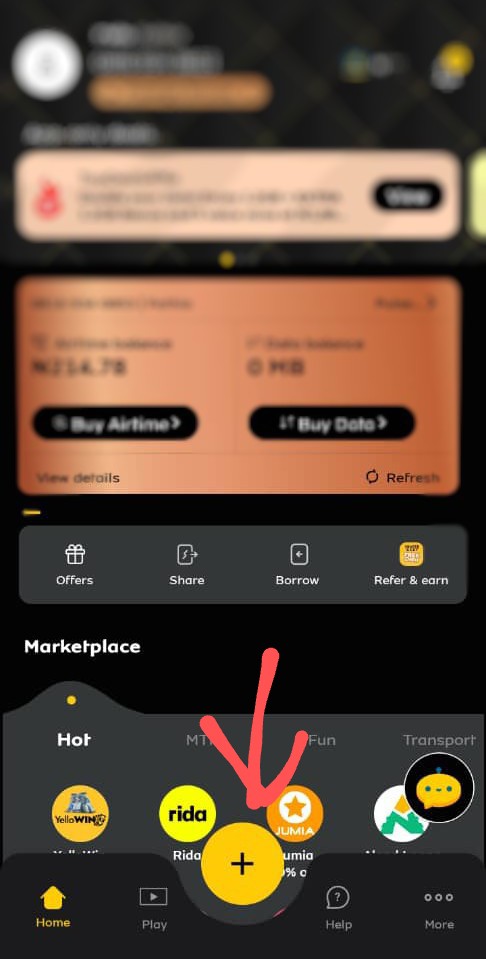
- Then again you’ll tap on ‘+’ icon
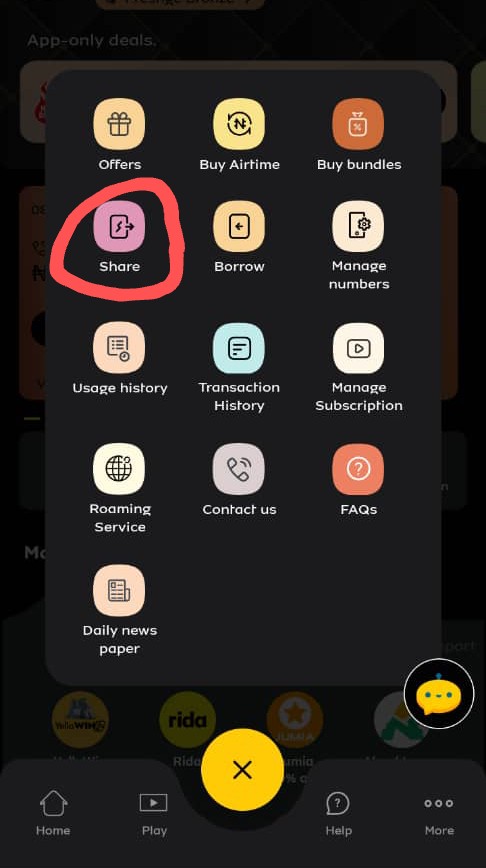
- Here you’ll click on ‘share’, from the displayed options.
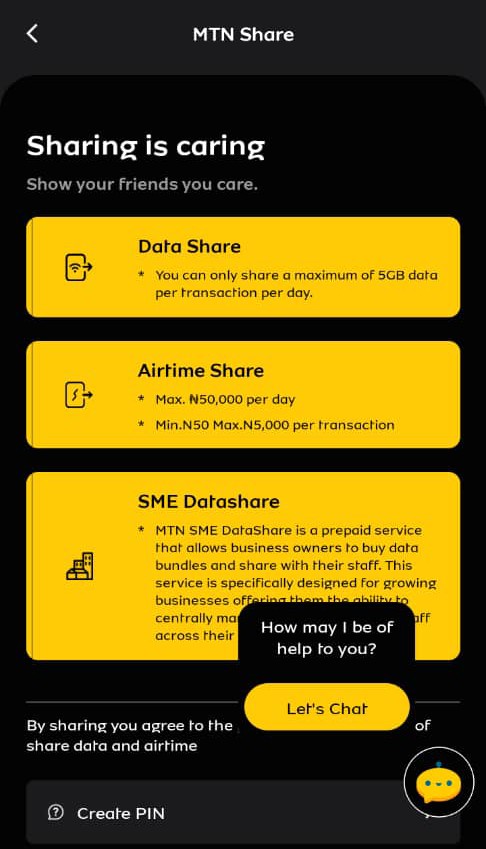
- An option to share data or airtime will pop up.
- Click on the option to share airtime.
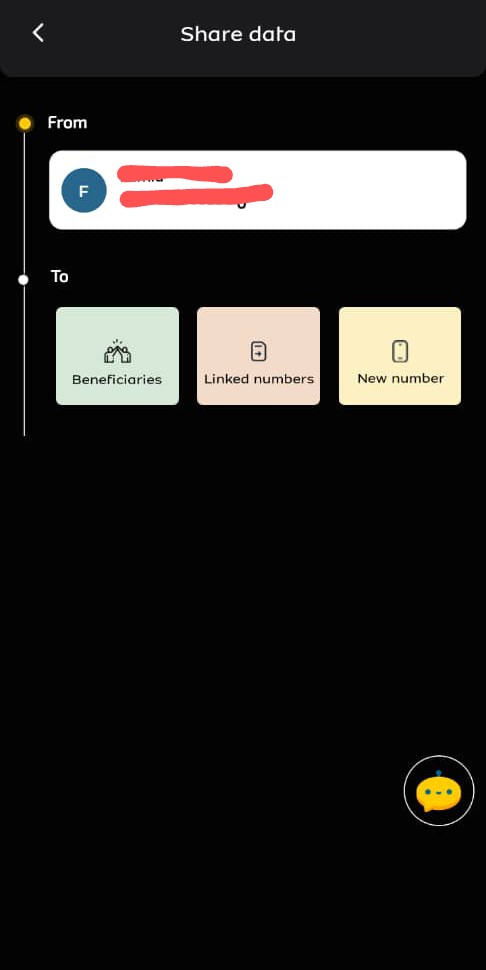
- Then you’ll enter the recipient’s phone number and the amount of airtime you want to share.
- Finally you’ll proceed to share airtime then you should receive a SMS to confirm the airtime transfer
Read Also: How to share airtel card to another airtel sim (Latest 2024)
Frequently Asked Questions (FAQs)
What’s myMTN app?
It’s a self-service web portal, created to be a communicative platform that enables you to easily carry out transactions and resolve issues by simply logging onto the myMTN app.
How can I access the myMTN app?
It can be accessed only by MTN customers who are registered either prepaid, postpaid or ePost paid.
Will I be charged for using myMTN app?
No there will be no charge attached to using myMTN app.
Can myMTN app work with wifi?
Yes, you’ll be able to access it with wifi connection.
What services are available on the myMTN app?
You’re able to access services such as; buying data bundle, airtime recharge, PUK, last recharge details, information on other MTN services and products, and a lot more can be accessible with the app.
Will I be able to resolve other MTN related issues on the my MTN app?
Of course, you can also submit a complaint regarding any issue using the ‘Contact Us’ tab, and a representative from our customer care service will contact you shortly.


