

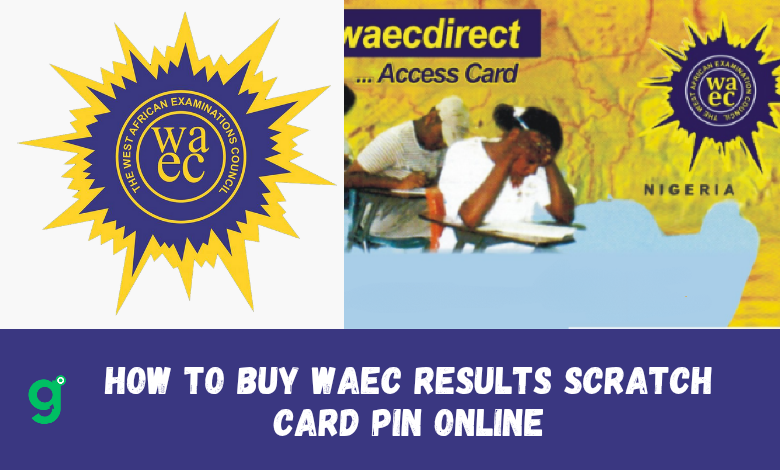
Do you want to check your 2025/2026 WAEC result? But you don’t know have your WAEC 2025/2026 result checker or scratch card pin to do that. Getting your 2025/2026 WAEC/GCE/NECO Result Scratch Card PIN online has now become more easier and better in Nigeria.
You don’t have to visit a WAEC physical shop or bank to buy it. You can now get your WAEC result checker pin online instantly using your mobile phones.
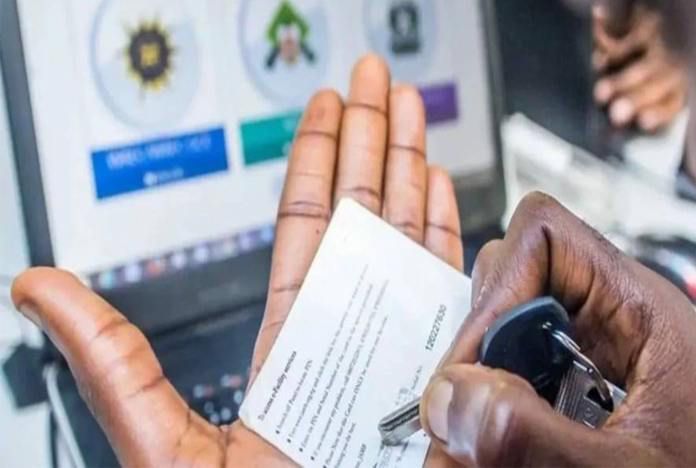
Buying WAEC/GCE/Neco Result Checker PINs online has become convenient, fast, and it allows candidates to avoid physical queues to buy these cards in 2025/2026. When you buy these scratch cards online, you can get them quickly and without any problems and can re-use them.
Continue reading the post to learn the various best methods to buy 2025/2026 WAEC result checker scratch card online, so you can check your results quickly and easily, anytime you want to.
What Is WAEC Result Scratch Card Pin?
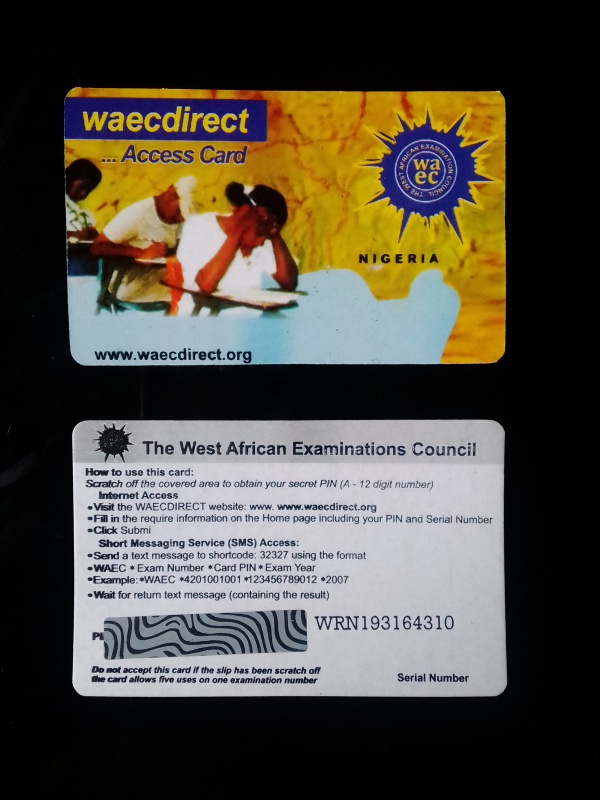
WAEC Result Checker PIN or scratch card is a unique code used to access and check examination results for candidates who participated in the West African Senior School Certificate Examination (WASSCE) in 2025/2026 or any other year.
What is the Scratch Card PIN used for?
This PIN allows candidates to check their WAEC results online. Each scratch card can be used up to five times for the same candidate, for a specific examination year.
Traditionally, these scratch cards were purchased from physical outlets, but now, several online platforms and mobile banking applications offer a more convenient purchasing process to get waec result checker pin online.
Why You Should Buy your WAEC Result checker pin Online?
- Fast Result Checking & Process: You can check your result faster and also use the pin anytime
- Multiple Payment Options: Use bank transfers, debit cards, or mobile wallets.
- Convenience: Purchase from the comfort of your home at any time.
- Instant Delivery: Receive your PIN immediately after payment to your personal email.
Where can you Buy 2025/2026 WAEC Result Checker – Scratch Card Pin Online in Nigeria Faster?
You can buy your WAEC result scratch card online through the following recommended methods in Nigeria:
- Mobile payment apps like (Opay, Palmpay, Paga, Moniepoint, JumiaPay, Quickteller, Remita)
- Bank mobile apps like (GTBank, Access Bank, Zenith Bank, FirstBank, Wema Bank)
- Official WAEC online vendors and accredited sellers
Let’s go through the step-by-step guide for each method above.
How to Buy 2025/2026 WAEC Result Scratch Card Pin Using Mobile Online Payment Apps
1. Buy WAEC Result Checker Scratch Card Pin on Opay Directly
Opay is one of the fastest and easiest ways to buy your WAEC result scratch card online.
Here’s how:
- Download and install Opay app from Google Play Store or Apple App Store.
- Log in or create an account if you’re a new user.
- Fund your Opay wallet (if you don’t have enough balance).
- Tap on “More Services” under the menus available, then select “Schols & Exams”.
- Choose waec and select “WAEC Result Checker” from the list.
- Enter your phone number and email address (your PIN will be sent here).
- Confirm payment of N3450 and receive your WAEC scratch card PIN instantly.
2. How to Buy WAEC Scratch Card Pin on Palmpay APp
If you’re a Palmpay user, follow these steps:
- Step 1: Download and install PalmPay app from your device’s app store.
- Step 2: Register or log in to your account.
- Step 3: On the dashboard, goto to the “Services” section.
- Step 4: Select “WAEC” from the list of services.
- Tap “WAEC Result Checker”.
- Enter your details and make payment.
- Your 2025/2026 WAEC result PIN will be sent to your email or phone.
3. Buy WAEC Scratch Card Pin on Paga App Directly
To buy your WAEC result PIN on Paga:
- Open Paga app or visit their website.
- Navigate to the “Education” section.
- Choose “WAEC Result Checker”.
- Enter your details and complete the payment.
- Your scratch card PIN will be sent to your registered email or phone number.
4. Purchase WAEC Scratch Card Pin on Moniepoint App
Moniepoint is another easy option for buying your WAEC result scratch card online. Follow these steps:
- Visit a Moniepoint agent or use the Moniepoint app.
- Select “WAEC Result Checker” from the available services.
- Enter your details and complete the payment.
- You will receive your scratch card PIN instantly.
5. You can also Buy WAEC Scratch Card Pin on JumiaPay APp
JumiaPay allows you to buy WAEC result checker PINs online with ease:
- Step 1: Download and install JumiaPay app from your device’s app store.
- Step 2: Open the app and sign in or create a new account if you don’t have one.
- Step 3: Go to the “Services” or “Education” section.
- Step 4: Select “WAEC” from the list of services.
- Step 5: Choose the type of WAEC service you need (e.g., Result Checker PIN).
- Step 6: Enter the required details and proceed to payment.
- Step 7: Complete the payment using your preferred method.
- Step 8: After payment, your WAEC Result Checker PIN will be displayed and sent to your email.
6. How to Buy WAEC Scratch Card Pin on Quickteller Directly
Quickteller offers a seamless way to buy WAEC result scratch cards:
- Step 1: Visit www.quickteller.com or use the app.
- Step 2: Log in or create an account.
- Step 3: Navigate to the “Pay Bills” section.
- Step 4: Select “WAEC” under the education category.
- Step 5: Enter the necessary details and proceed to payment.
- Step 6: Complete the payment using your preferred method.
- Step 7: After payment, your WAEC Result Checker PIN will be provided.
7. Buy WAEC Scratch Card Pin on Remita
To buy your WAEC result checker PIN via Remita:
- Step 1: Visit Remita website or download Remita mobile app.
- Step 2: On the homepage, select “Buy WAEC Pin.”
- Step 3: Fill in the required details, including your name, phone number, and email address.
- Step 4: Choose your preferred payment method (e.g., bank transfer, card payment).
- Step 5: Complete the payment process.
- Step 6: Upon successful payment, your WAEC Result Checker PIN will be sent to your email and displayed on the Remita receipt.
How to Buy 2025/2026 WAEC Result Scratch Card Pin Using Bank Mobile Apps in Nigeria
Many Nigerian banks have integrated services that allow customers to purchase WAEC scratch card PINs directly from their mobile banking apps.
Here’s a general guide to follow for each banks in Nigeria:
Read Also: Jamb 2025/2026: Registration Date, Price, Exam Start Date For (Utme & DE Students)
1. Buy WAEC Result Scratch Card Pin From GTBank (Guaranty Trust Bank)
- Step 1: Open GTBank mobile app and log in.
- Step 2: Navigate to the “Payments” or “Bills Payment” section.
- Step 3: Select “WAEC” under the education category.
- Step 4: Enter the required details and proceed to payment.
- Step 5: Complete the payment process.
- Step 6: Your WAEC Result Checker PIN will be sent to your registered email or displayed on the transaction receipt.
2. How to Buy Waec Result checker pin from Access Bank Nigeria
- Step 1: Launch the Access Bank mobile app and sign in.
- Step 2: Go to the “Bills Payment” section.
- Step 3: Choose “WAEC” from the list of billers.
- Step 4: Input the necessary information and proceed.
- Step 5: Confirm the payment.
- Step 6: The WAEC Result Checker PIN will be provided after the transaction.
3. Purchase Waec Result Pin From Zenith Bank Nigeria
- Step 1: Open Zenith Bank mobile app and log in.
- Step 2: Go to “Payments” or “Collections” section.
- Step 3: Select “WAEC” under educational payments.
- Step 4: Enter the required details and proceed to payment.
- Step 5: Complete the payment process.
- Step 6: Your WAEC Result Checker PIN will be displayed or sent to your email.
4. How to buy waec result pin from FirstBank Nigeria
- Step 1: Log in to FirstBank mobile app.
- Step 2: Navigate to the “Bill Payments” section.
- Step 3: Select “WAEC” as the biller.
- Step 4: Enter the required details, such as your email and phone number.
- Step 5: Confirm and make the payment.
- Step 6: Your WAEC Result Checker PIN will be sent to your email or displayed on the app.
5. Buy waec scratch card from Wema Bank (Alat app)
- Step 1: Open Wema Bank mobile app (ALAT) and log in.
- Step 2: Go to “Pay Bills” or “Educational Payments.”
- Step 3: Choose “WAEC” as the payment option.
- Step 4: Input your details and confirm payment.
- Step 5: Complete the transaction and receive your WAEC PIN via SMS or email.
How to Check Your WAEC 2025 Result Online With the Result Checker / Scratch card pin
First make sure you have gotten your pin with any of the above method to buy your result pin online, then visit the official WAEC Result Portal at https://www.waecdirect.org/. Click here to read more on how to check your WAEC 2025/2026 Result Online.

Tips to Ensure a Smooth Purchase & Usage Of Your Result Checker Pin
- Ensure Sufficient Funds – Confirm that your account or wallet has enough balance before initiating the transaction.
- Verify Details – Double-check all entered information to avoid errors.
- Keep Records – Save transaction receipts or take screenshots for future reference.
- Stay Updated – Ensure your mobile apps are updated to the latest versions for optimal performance.
Read Also: 35+ Universities in Nigeria With The Best Technology For Education
- Pricing – The cost of a WAEC Scratch Card varies depending on the vendor. Typical prices range from ₦3,500 to ₦4,000. Always confirm the price before proceeding with the purchase.
- Usage Limits – Each PIN can be used up to five times, Attempting to use it for another number will render it invalid.
- Validity – WAEC Scratch Cards do not expire, but misuse or multiple failed attempts can deactivate the PIN. Keep it safe to avoid unauthorized use and your card becomes invalid.
Frequently Asked Questions (FAQs)
How Much Does a WAEC Scratch Card Cost?
The price of a WAEC Result Checker PIN varies, but it typically ranges from ₦2,500 to ₦3,500, depending on the platform you use to purchase it.
How Long Does It Take to Receive My WAEC Result Checker PIN?
If you purchase your PIN through digital wallets or bank apps, you should receive it instantly or within a few minutes. If there is a delay, check your email or transaction history.
Can I Buy WAEC Result Scratch Card PIN With USSD?
Yes, some banks allow you to buy WAEC Result Checker PINs via USSD codes. For example, GTBank and Access Bank have USSD services where you can dial a specific code to make payments.
What Should I Do If I Don’t Receive My PIN After Payment?
If you don’t receive your WAEC Result Checker PIN after a successful payment, check your email spam folder. If it’s still not there, contact customer support for the platform you used.
Can I Use My Bank App to Buy WAEC Scratch Card PIN?
Yes, most Nigerian bank apps, including GTBank, Access Bank, Zenith Bank, FirstBank, and Wema Bank, offer WAEC PIN purchases under their bill payment or education payment sections.
Can I use the same PIN for multiple results?
No, each PIN is tied to a specific examination number and cannot be reused for another number.
Is there a refund policy for failed transactions?
Yes, Most vendors offer refunds for failed transactions due to technical issues. Check their refund policies before purchase.
Conclusion
With various online payment platforms and bank apps available, buying the 2025/2026 WAEC/GCE/NECO Result Scratch Card PIN should be a no problem to you. Whether you are using OPay, PalmPay, Paga, Moniepoint, JumiaPay, Quickteller, Remita, or your bank app, you can purchase a PIN in just a few minutes.
By following the steps given in this post, ensure your details are correct, to be able to get your WAEC Result Checker PIN online without stress. If you experience any issues, drop a comment below and the method you used to get it.


